

Wave Embedded vs. Conga Grid: Choosing the Best Salesforce Data Management Tool
Transparency note: This comparison is provided by Valorx, the team behind Wave Embedded. While we strive for accuracy in representing both solutions, we naturally believe Wave offers superior value for enterprise teams. We encourage you to evaluate both based on your specific requirements.
Wave Embedded vs. Conga Grid
Salesforce, a market leader for business data management, is mission-critical for today's enterprises. Yet despite the platform's power and versatility, managing its data remains challenging—often creating operational bottlenecks without the right tools.
Both Conga Grid and Wave Embedded promise to simplify Salesforce data management—but their differences in functionality, scalability, and impact are substantial. Choosing the wrong tool can reduce productivity, increase costs, and limit growth.
This article compares both solutions to help you determine which one delivers on its promise to streamline your Salesforce data management experience without compromise, maximizing ROI, driving team productivity, and future-proofing your business operations.
When Conga Grid makes sense:
- You're a small team (under 20 users) with basic update needs
- You're already deeply embedded in the Conga ecosystem
- Your workflows are simple and low-volume
When Valorx Wave makes sense:
Wave Embedded vs. Conga Grid features comparison
While functionality determines what a tool can accomplish, user experience determines how easily your teams can leverage it. Let’s see how Conga Grid and Wave Embedded stack up when it comes to ease of adoption and workflow efficiency.
| Feature | Conga Grid | Wave Embedded |
|---|---|---|
| Bulk / inline editing | ✓ | ✓ |
| Conditional formatting | ✕ | ✓ |
| Excel-like, intuitive interface | ✕ | ✓ |
| Handles high-volume data (thousands of rows) | ✕ | ✓ |
| Embed across pages & record pages | ✕ | ✓ |
| Dynamic child record fetching | ✕ | ✓ |
| Advanced workflows (Row Actions / Screen Flow) | ✕ | ✓ |
| Multi-object views | ✕ | ✓ |
| Real-time error validation | ✕ | ✓ |
| Customizable, flexible UX | ✕ | ✓ |
| Salesforce-native security | ✓ | ✓ |
| Lower cost per user | ✕ | ✓ |
| Best for complex, high-volume data | ✕ | ✓ |
1. Functionality: Built for basic vs. enterprise needs
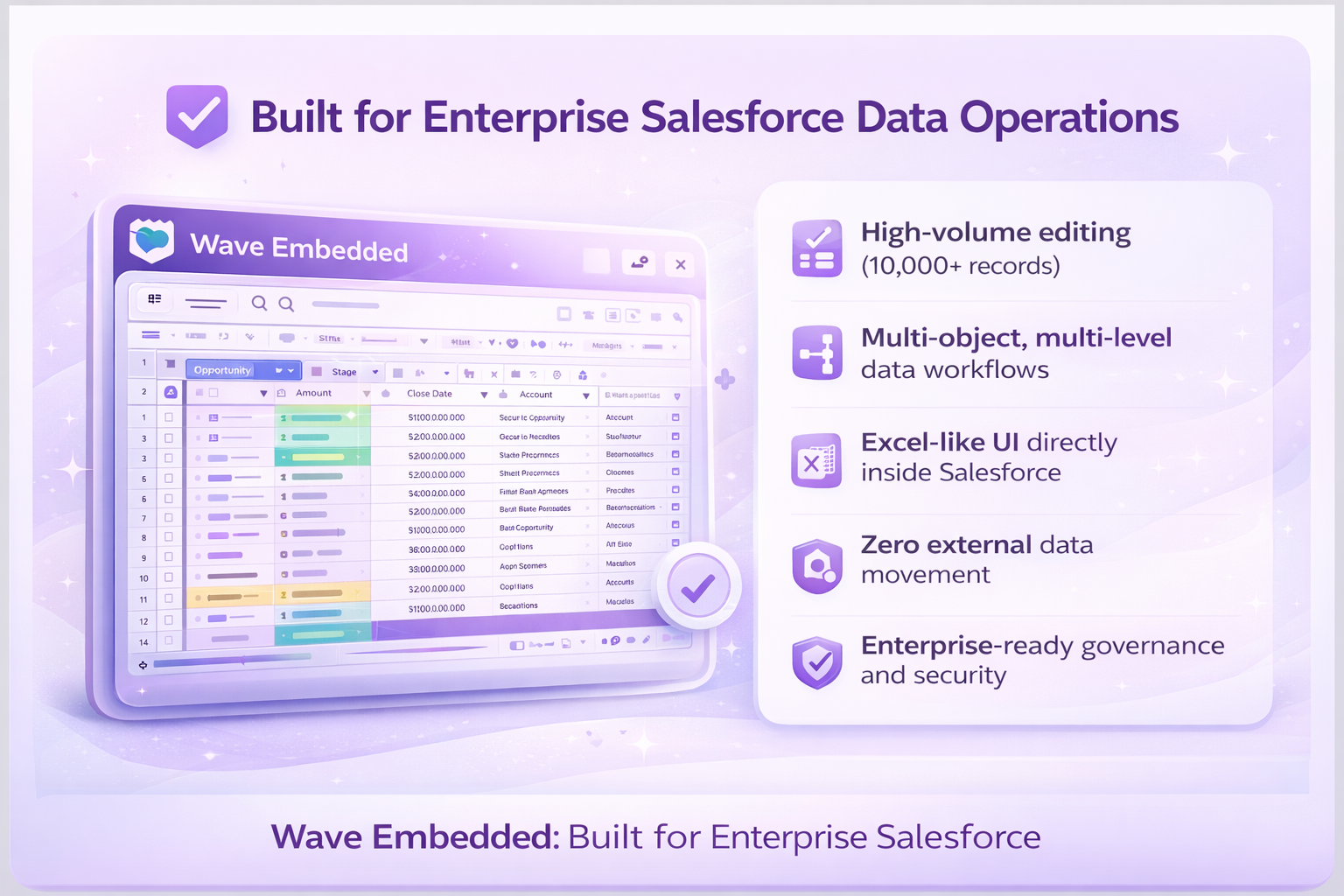
Wave Embedded: Built for enterprise-scale challenges, Wave Embedded transforms Salesforce into a spreadsheet-like powerhouse. It integrates Excel-inspired tools - such as drag-and-drop editing, real-time updates, and multi-object views - enabling teams to process complex, high-volume data effortlessly.
Wave Embedded also offers advanced data entry functionalities, including copy, paste, and clone actions, streamlining repetitive tasks and minimizing manual effort. It supports customizable controls tailored to different data types, such as dropdowns for selections, date pickers for scheduling, and formula fields for calculations. These features bring the familiarity and efficiency of Excel directly into Salesforce, empowering teams to handle intricate data workflows with ease and precision.
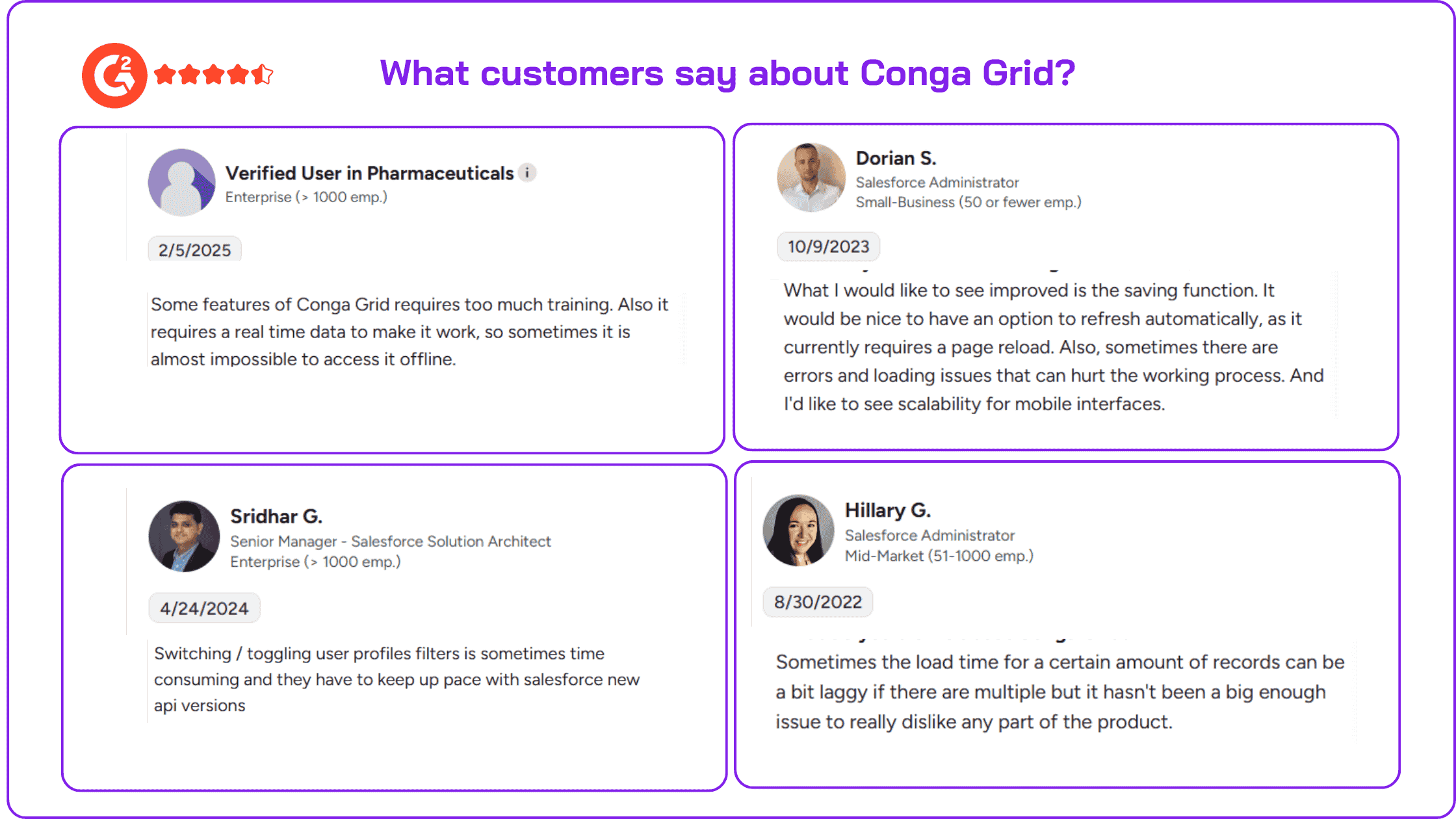
Conga Grid: Designed for smaller teams, Conga Grid offers a basic grid interface that simplifies bulk updates. While suitable for low-volume tasks, it struggles with high-volume data and lacks features like conditional formatting, advanced workflows, and multi-object views.
Key takeaway
Enterprises need more than basic tools. Wave Embedded ensures that even thousands of records across multiple objects can be updated in real-time - something Conga Grid cannot achieve reliably.
2. User experience: Intuitive, customizable, and adoption-ready
Wave Embedded: Wave Embedded’s Excel-like design minimizes the learning curve and accelerates adoption. Teams can fully customize views, apply conditional formatting, and seamlessly toggle between Salesforce and the familiar spreadsheet interface, boosting satisfaction and productivity.
Conga Grid: While an improvement over standard Salesforce views, Conga Grid’s rigid, limited interface often feels unintuitive. Its lack of customization leads to slower adoption and frustration for teams managing complex workflows.
Key takeaway
Business leaders need tools that don’t disrupt workflows and require minimal training. Wave Embedded delivers this with a design teams already know and trust.
3. Performance: Scale without compromise
Performance is critical when managing high volumes of Salesforce data. Wave handles 10,000+ records efficiently vs. Conga's typical performance with 500-1,000
Wave Embedded: Handle thousands of records efficiently, making complex, multi-object workflows fast and smooth. Key productivity features include Mass Modifier for quick bulk edits and robust data validation that previews changes before saving to prevent errors. The grid can be embedded in various Salesforce pages and displays related records dynamically, allowing direct in-grid edits without switching tabs.
Additional features like Row Actions enable users to trigger logic, update records, and embed components directly within the grid. Supporting Screen Flow, Aura, and LWC, Wave Embedded enhances integration and usability for a seamless experience.
Conga Grid: Performance deteriorates when handling hundreds or thousands of records, often resulting in slowdowns and timeouts that disrupt productivity.
Key takeaway
For enterprises where speed and reliability are non-negotiable, Wave Embedded ensures performance never becomes a bottleneck.
Optimizing performance is only half the battle. For businesses handling sensitive data, robust security and compliance are just as critical. Here’s how Conga Grid and Wave Embedded compare on protecting your most valuable information.
4. Security and data integrity: Eliminating risks
Wave Embedded: Follows Salesforce's robust security protocols but offers in-app controls, configurable views, and validation steps to support enhanced governance while working within Salesforce. However, like most tools, it allows for offline exports when needed.
Conga Grid: Also adheres to Salesforce’s security standards, including user permissions and validation rules, but allows users to export data offline, increasing the potential for compliance risks if not handled properly.
Key takeaway
Both tools meet Salesforce’s baseline security, but organizations with strict compliance requirements can benefit from Wave Embedded’s additional in-platform controls to improve data oversight.
5. Support and updates: Reliability that scales with you
Wave Embedded: Delivers frequent updates with new features and performance enhancements to keep pace with enterprise demands. Plus, 24/7 enterprise-grade support ensures issues are resolved promptly, minimizing downtime.
Conga Grid: Conga also provides regular updates and customer support resources, though user feedback on support experiences may vary depending on individual cases and service tiers.
Key takeaway
Both tools offer support and updates, but the level of customer experience can differ based on specific user needs and expectations. It's important to assess which support model aligns best with your organization's requirements for responsiveness and issue resolution.
6. Pricing: Value that pays for itself
While upfront costs often drive decisions, the true cost of inefficiency, errors, and lost productivity can far outweigh initial investments.
Wave Embedded: Priced very competitively, Wave Embedded offers a lower cost of entry compared to Conga Grid. It delivers significant ROI through faster workflows, reduced manual workloads, and error elimination, making it a cost-effective choice for high-volume organizations.
Conga Grid: Despite its basic feature set, Conga Grid comes with a relatively high upfront cost. Additionally, limitations in performance, manual inefficiencies, and lack of scalability can lead to increased long-term expenses.
Key takeaway
Wave Embedded not only offers a lower upfront cost but also provides long-term value through enhanced productivity and scalability, making it an ideal option for enterprises focused on efficiency and cost control.
Valorx Wave and Conga Grid: Recap
The choice between Conga Grid and Wave Embedded depends on your organization’s scale, complexity, and growth goals:
Conga Grid
- Best suited for smaller teams with basic Salesforce needs.
- Works well for organizations managing low-volume, straightforward workflows.
Wave Embedded
- Designed for enterprises managing complex, high-volume datasets.
- Ideal for teams requiring multi-object views, advanced features, and enterprise-grade security.
- Perfect for leaders prioritizing scalability, measurable ROI, and long-term value.
Choose the Salesforce data management tool that works best for you
- While Conga Grid offers a solid foundation for Salesforce data management, its limitations in performance, usability, and scalability make it a less suitable choice for growing enterprises.
- Wave Embedded provides a scalable, performant solution to manage Salesforce data. From handling high volumes of data to enabling advanced customization and ensuring robust security.
Both respect Salesforce validation rules, but Wave Embedded shows you errors before you save (with red highlights and previews), while Conga Grid shows errors after you attempt to save. For high-stakes data like financials, Wave's pre-save validation helps catch mistakes before they enter your system.
For business leaders seeking a long-term, strategic advantage, Wave Embedded is the clear winner.
Get started with Valorx Wave Embedded today
Ready to experience a better way to work with Salesforce data? Install from AppExchange to start your free trial or contact our team to learn more.

FAQ
1. Can I use both Wave Embedded and Conga Grid in the same Salesforce org?
Technically yes, but it's not recommended. You'd pay for two overlapping solutions and confuse your team about which tool to use. Most organizations pick one as their standard data management tool. However, for comparative evaluation, many teams install Wave Embedded in a sandbox alongside their production Conga Grid deployment. This lets teams evaluate the experience, recreate key grids, and train users before making any changes to your production environment.
2. What happens to my data if I switch from Conga Grid to Wave Embedded?
Nothing—your Salesforce data stays exactly where it is. Both tools work directly in Salesforce without moving or storing data externally. You'll just need to recreate saved views (1-2 hours) and train users on the new interface (30-60 minutes). Consider running both tools in parallel for 2-4 weeks during transition.
3. Does Wave work with my Salesforce validation rules and permissions?
Yes. Wave Embedded fully respects Salesforce's security model, including object and field-level permissions, sharing rules, and validation rules. Your data governance stays intact—Wave enhances the user experience without bypassing your controls.
4. How long does migration from Conga Grid take?
Most teams can be up and running with Wave Embedded within days. Installing the managed package takes minutes. Recreating primary grids is typically straightforward, and Wave's intuitive interface means minimal training is required. Enterprise deployments with complex requirements may take longer, but Valorx support is available to assist throughout the process.
5. Does Valorx Wave support other CRMs like Dynamics 365?
Valorx Wave Embedded is purpose-built for Salesforce. If you need multi-CRM support across Salesforce, Dynamics 365, and Zendesk simultaneously, please get in touch with us.
6. What kind of support does Valorx provide?
Wave Pro users receive chat, email, and phone support. Valorx is known for responsive, hands-on assistance—whether you need help with migration planning, grid configuration, or troubleshooting. Enterprise customers can also access dedicated support resources and custom implementation assistance.
7. Why is Wave Embedded preferred for enterprise teams?
Because it brings Excel-grade power inside Salesforce, supports high-volume workflows, enables multi-object editing, and keeps everything aligned to governance and security standards — all at a lower cost. Check pricing here.
Web-based CRM-Connectivity
Get started with Wave
Create a Valorx account and enjoy using Wave for free.